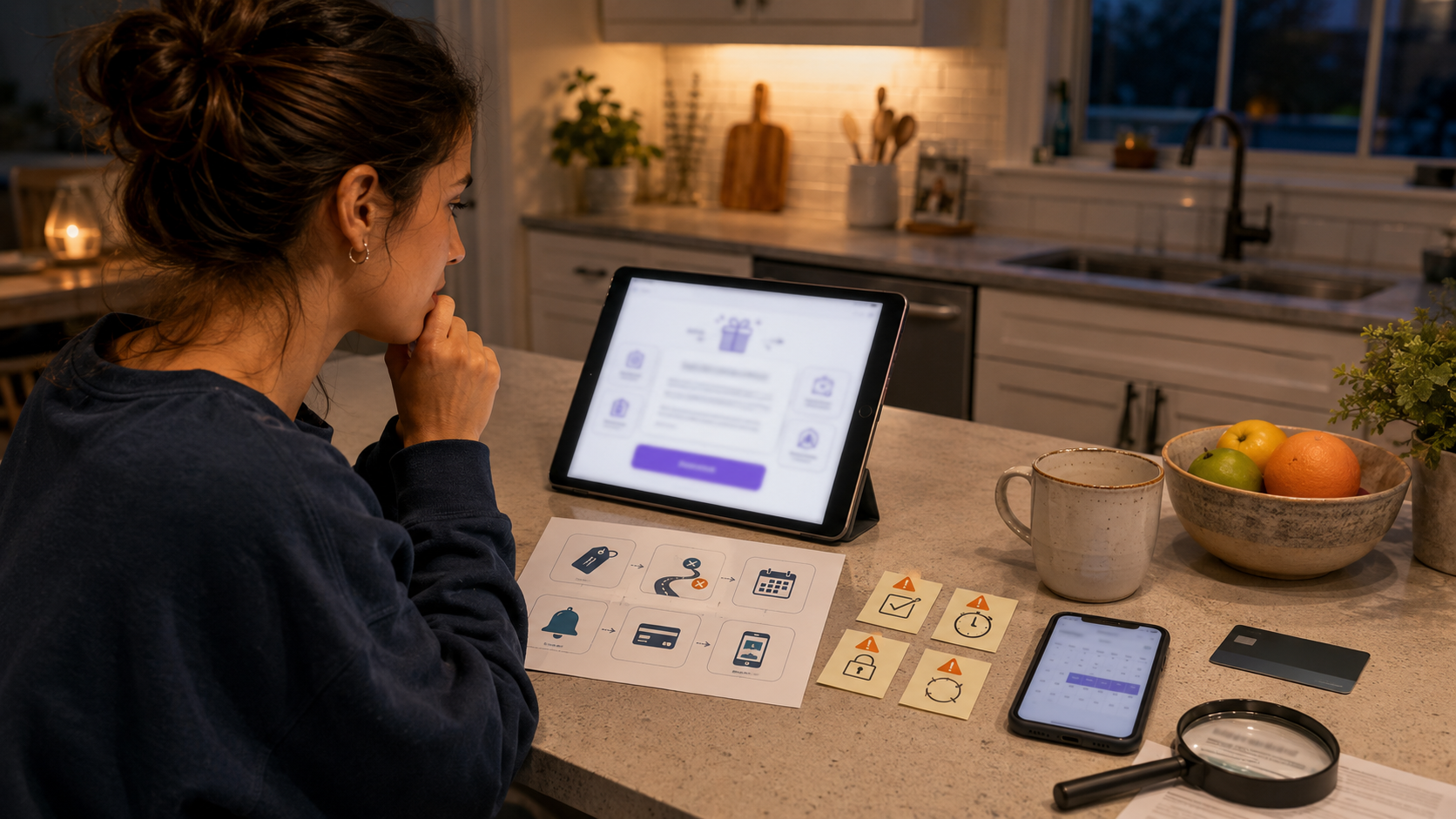
How to Spot Dark Patterns Before Starting a Free Trial
A free trial can be useful.
It lets you test a streaming service, software tool, learning app, fitness plan, delivery membership, cloud storage service, or subscription box before paying.
But some free trials are designed around a quiet hope: that you will forget, misunderstand, or give up when cancellation becomes inconvenient.
That is where dark patterns come in.
Dark patterns are design choices that push you toward a company’s preferred outcome, even when that outcome is not what you clearly intended. In free trials, that usually means getting you to sign up quickly, enter payment details, overlook renewal terms, miss the reminder, or struggle to cancel later.
The safest time to spot a dark pattern is before you start the trial.
The Simple Rule
Do not start a free trial until you know how to stop it.
Before entering payment details, you should know:
When the trial ends
How much you will be charged after it ends
Whether it auto-renews
How to cancel
Whether cancellation can be done online
Whether there are fees, shipping charges, or minimum commitments
What proof you will keep
If you cannot find those answers, do not sign up yet.
What a Dark Pattern Looks Like in a Free Trial
A dark pattern does not always look fake or illegal. It may look polished, friendly, colorful, and professional.
Common examples
Dark Pattern |
What It Does |
|---|---|
Big bright start button |
Makes signup easy and fast |
Tiny cancellation details |
Hides the real work later |
Pre-checked boxes |
Adds consent you may not notice |
Countdown timer |
Creates urgency |
“Only today” message |
Pushes rushed signup |
Buried renewal price |
Makes the trial feel cheaper than it is |
Confusing plan comparison |
Nudges you into a higher plan |
Hard-to-find cancel page |
Makes leaving harder than joining |
Retention maze |
Sends you through multiple “are you sure?” screens |
Forced call or chat |
Adds friction before cancellation |
Hidden shipping or handling fee |
Makes “free” less free |
Default annual billing |
Charges more upfront than expected |
Vague reminder promise |
Lets you assume a reminder will come |
Repeated upgrade prompts |
Distracts from the basic trial terms |
The design may not scream “trap.” It may simply make the risky choice easier than the careful choice.
The 5-Minute Free Trial Safety Test
Before starting any free trial, run this test.
1. Find the renewal price
Ask:
What will I pay after the trial?
Is the price monthly or yearly?
Will taxes or fees apply?
Is the first paid charge higher than expected?
Does the price change after a promo period?
If the price is hidden, unclear, or only shown after you enter a card, pause.
2. Find the cancellation path
Ask:
Where do I cancel?
Can I cancel from the same account area where I sign up?
Do I need to call?
Do I need to chat?
Do I need to email support?
Is cancellation available before the trial ends?
Will I get confirmation?
If you cannot find the cancellation path before signing up, that is a warning sign.
3. Check the payment requirement
Ask:
Do I have to enter a card?
Can I use a safer payment method?
Is debit card riskier for my situation?
Does the service accept virtual cards or limited-use cards?
Will the service store the payment method?
Can I remove the payment method after canceling?
A trial that needs payment details deserves more caution than one that does not.
4. Set the reminder before starting
Do not plan to remember.
Set reminders before you click start:
One reminder halfway through the trial
One reminder 2 to 3 days before renewal
One reminder on the last safe cancellation day
If the trial is very short, set the reminder immediately after signup or do not sign up.
5. Screenshot the important terms
Save proof of:
Trial length
Renewal price
Cancellation instructions
Plan selected
Date started
Cancellation deadline
Confirmation email
Any promise of “free” or “cancel anytime”
This helps if billing becomes disputed later.
Warning Sign 1: You Cannot See the Price After the Trial
A free trial is not fully explained if you cannot easily find the paid price.
Watch for:
“Start free” with no clear renewal amount
Price hidden behind tiny text
Price shown only after account creation
Monthly price shown but annual billing selected
Promotional price shown more clearly than regular price
“As low as” pricing with unclear conditions
Currency or tax not clear
Different price in checkout than on the landing page
Better choice
Before starting, write down:
After the trial, this will cost $____ every ____ starting on ____.
If you cannot complete that sentence, you do not understand the offer yet.
Warning Sign 2: Cancellation Details Are Hard to Find
The cancellation path should not feel like a treasure hunt.
Bad signs
No cancellation link in account settings
Cancellation only through chat
Cancellation only by phone
Cancellation only during business hours
Cancellation instructions hidden in long terms
“Contact us to cancel” without clear contact method
No explanation until after signup
Different cancellation rules depending on plan
Support page loops without giving steps
Before-signup test
Search the site for:
cancel subscription
cancel trial
manage plan
billing
auto renewal
membership cancellation
If the search results are vague or circular, be careful.
Warning Sign 3: The Trial Requires a Card for Something “Free”
Some legitimate trials require payment details. But the word “free” should make you check harder, not faster.
Ask:
Why do they need payment now?
Will I be charged automatically?
Is there a temporary authorization hold?
Are there shipping, handling, setup, or processing fees?
Will I be charged if I do nothing?
Is the trial free only for the first item, not future shipments?
Does the free offer enroll me into a subscription?
A free trial that charges shipping or another fee is not completely free in practice.
Warning Sign 4: Pre-Checked Boxes
Pre-checked boxes are easy to miss.
They may say you agree to:
Auto-renewal
Marketing emails
Additional products
Data sharing
Higher-tier plan
Annual billing
Partner offers
Future shipments
Trial extension with paid renewal
What to do
Before clicking start, scan the page for:
Checked boxes
Toggles already turned on
Small consent lines
“Recommended” plan defaults
“Yes, add this” options
Bundles added automatically
Uncheck anything you do not clearly want.
Warning Sign 5: The Button Language Is Uneven
Buttons can steer your choice.
Watch for designs like:
Positive Button |
Negative Button |
Start saving now |
No, I hate saving |
Continue with best value |
Keep paying more |
Get full access |
Stay limited |
Yes, upgrade me |
No, I do not want benefits |
Claim my trial |
Miss out |
This kind of wording makes one choice feel smart and the other feel foolish.
A fair cancellation or signup screen should let you choose without insulting or pressuring you.
Warning Sign 6: The Trial Is Too Short for Real Testing
A 3-day trial may not be enough for many services.
Ask:
Can I actually test this in the trial period?
Will I remember to cancel in time?
Does the trial start immediately or after first use?
Does the trial include all features?
Does it require setup time?
Does it renew over a weekend or holiday?
Is the cancellation deadline earlier than the billing date?
If the trial is short and requires a card, set a same-day reminder or skip it.
Warning Sign 7: Annual Billing Is Selected by Default
Annual billing can save money when you truly want the service. It can also create a painful surprise after a trial.
Check:
Is monthly or annual selected?
Is the displayed monthly equivalent hiding an annual charge?
Is the annual plan cheaper but charged upfront?
Can you switch before the trial ends?
Does the trial convert into annual billing automatically?
Is refund available if you forget?
If you are only testing, monthly billing is usually safer than annual billing.
Warning Sign 8: The Service Makes You Build Too Much Before Seeing Terms
Be cautious when a signup flow asks for a lot before showing billing terms.
Examples:
Create account
Answer long quiz
Enter personal goals
Choose preferences
Add family members
Upload data
Connect apps
Enter address
Choose plan later
Enter card before final price
The more time you invest, the harder it feels to walk away.
A fair signup flow should show the key cost and renewal terms before you feel trapped by effort.
Warning Sign 9: “Cancel Anytime” Is Not Explained
“Cancel anytime” sounds reassuring, but it needs details.
Ask:
Cancel anytime how?
Does cancellation stop future billing immediately?
Do I lose access immediately?
Do I get a refund for unused time?
Does canceling the trial prevent the first charge?
Is there a minimum commitment?
Do I need to cancel before a certain hour?
Is cancellation confirmed by email?
A slogan is not a policy.
Warning Sign 10: The Cancel Button Leads to a Maze
Some services make cancellation emotionally and practically tiring.
Maze signs
Multiple confirmation screens
Discount offers before cancellation
“Pause instead” prompts
Surveys required before canceling
Chatbot loops
Phone callback required
Long wait times
Hidden final confirmation
“Are you sure?” repeated too many times
Buttons that move or change wording
Confirmation page without confirmation email
Before signing up, search reviews for “hard to cancel,” “keeps charging,” “free trial charge,” and “cancel subscription.”
The Cancellation Path Check
Do this before you start.
Find answers to these
Question |
Answer Needed |
Where is cancellation located? |
Account settings, billing page, app store, support, phone, email |
Can I cancel online? |
Yes or no |
How many steps? |
Simple or long |
Do I need to talk to someone? |
Chat, phone, email, or no |
Is cancellation immediate? |
Now, end of billing period, or unclear |
Will I get confirmation? |
Email, account page, or screenshot |
Can I cancel during the trial? |
Yes or no |
Will I lose access instantly? |
Yes, no, or unclear |
What is the last safe cancel date? |
Exact date |
If you cannot fill the table, do not enter payment details yet.
Payment Method Caution
The payment method affects your risk.
Credit card
Often easier to dispute than some other methods, but charges can still happen.
Debit card
Pulls money directly from your bank account, which can create more immediate cash-flow stress if something goes wrong.
Virtual card or limited-use card
Can help limit exposure if your bank or card provider offers it, but make sure it does not violate the service terms and understand how cancellations work.
Payment app
Convenient, but subscription visibility and dispute paths may differ by provider.
Gift card or prepaid card
May limit exposure, but some services do not accept them, and refunds can be harder.
Bank account
Be cautious before allowing direct bank withdrawals for a trial unless you fully trust the company and understand authorization.
For a free trial from a company you do not know well, avoid giving the most direct or hardest-to-dispute payment method.
Reminder Setup That Actually Works
One reminder is not enough.
Use three reminders.
Reminder 1: Trial check-in
Set this halfway through the trial.
Label:
Do I actually use this trial?
If no, cancel early.
Reminder 2: Cancel decision
Set this 2 to 3 days before renewal.
Label:
Cancel or keep? Check price before renewal.
Reminder 3: Last safe cancellation
Set this the day before your deadline.
Label:
Last safe day to cancel trial. Do it now if unsure.
For short trials, compress the reminders. For a 3-day trial, set one reminder immediately after signup and one the next day.
The Screenshot Folder
Create a small folder for trial proof.
Name it:
Trials and Subscriptions
Save:
Signup page
Trial terms
Renewal price
Cancellation instructions
Payment screen
Confirmation email
Reminder dates
Cancellation confirmation
Support chat if needed
This takes two minutes and can save a long dispute later.
Review Search Before Signup
Search the company name with:
cancel
hard to cancel
free trial charge
refund
complaint
subscription
billing
scam
keeps charging
Do not trust one angry review. Look for patterns.
What to watch for
Review Pattern |
Meaning |
Many people say they could not cancel |
Serious warning |
Many say charged after canceling |
Serious warning |
Complaints about no confirmation email |
Keep proof if signing up |
Complaints about annual billing surprise |
Check plan default |
Complaints about support wait times |
Cancellation may be hard |
Complaints about free trial not being free |
Check fees and renewal terms |
A company’s cancellation reputation matters before you enter a card.
Free Trial Types and Risk Level
Trial Type |
Risk Level |
Why |
No card required |
Lower |
Less chance of surprise charge |
Card required, clear cancel path |
Medium |
Manageable if reminders are set |
Card required, cancellation unclear |
High |
Easy to forget, hard to exit |
Trial plus shipping fee |
High |
May lead to recurring shipments or higher charges |
Annual billing after trial |
High |
Larger surprise charge |
Bank account required |
High |
Direct account impact |
App-store managed trial |
Medium |
Cancel path may be through app-store settings, not the app |
Phone-only cancellation |
High |
More friction and timing risk |
Choose lower-risk trials when possible.
App Store Trials Need a Separate Check
Some subscriptions started through a phone app must be canceled through your app-store subscription settings, not only inside the app.
Before starting, check:
Is billing handled by the app store?
Is billing handled by the company directly?
Where will cancellation happen?
Will deleting the app cancel the subscription?
Will uninstalling stop charges?
Which account is used for billing?
Will family sharing affect access?
Important: deleting an app usually does not automatically cancel a paid subscription. Cancel from the correct billing place.
Email Address Strategy
Use an email address you actually check.
A hidden subscription reminder in an inbox you ignore is not useful.
Better habits
Use one shopping or subscription email.
Search that inbox weekly for “trial,” “renewal,” “subscription,” “receipt,” and “billing.”
Do not use a throwaway email if you need renewal notices.
Save cancellation confirmations.
Watch for price-change notices.
A trial can become expensive because the warning went to an email you never open.
Before You Click Start: The Trial Card
Fill this out.
Question |
Answer |
Company name |
|
Trial start date |
|
Trial end date |
|
First charge date |
|
Amount after trial |
|
Monthly or annual? |
|
Payment method used |
|
Where to cancel |
|
Last safe cancel date |
|
Reminder set? |
|
Screenshot saved? |
|
Reason for trying it |
If this feels like too much work for the trial, that may be your answer: skip it.
Dark Pattern Warning Signs Checklist
Pricing and billing
Renewal price is hard to find.
Annual billing is selected by default.
Taxes, fees, shipping, or handling are unclear.
The trial says free but requires a payment or fee.
The plan changes price after a short promo period.
The checkout total differs from the signup page.
The billing date is not obvious.
Cancellation
Cancellation instructions are hidden.
Cancellation requires calling or chatting even though signup was online.
The cancel page is hard to locate.
You cannot tell whether cancellation stops the first charge.
The service uses multiple screens to prevent cancellation.
There is no clear confirmation email.
Reviews mention hard cancellation or continued charges.
Design pressure
Countdown timer pushes quick signup.
“No thanks” button uses guilt language.
Pre-checked boxes are already selected.
Upgrade plan is highlighted more than the basic plan.
Fine print carries important terms.
The flow hides cost until after personal details.
The signup process is much easier than the cancel process appears.
Payment risk
Debit card or bank account is required.
Payment app terms are unclear.
You cannot remove payment method later.
The service stores payment details before showing full terms.
You are unsure how to dispute a charge.
If you check several boxes, do not start the trial yet.
When It Is Okay to Start the Trial
A free trial is more reasonable when:
You know the exact renewal price.
You know the exact trial end date.
Cancellation steps are clear.
You can cancel online or through a known billing system.
You have reminders set.
You use a payment method you are comfortable monitoring.
You saved screenshots of the terms.
You actually have time to test the service.
Reviews do not show a pattern of cancellation complaints.
You know why you want the trial.
A good trial should feel easy to understand, not just easy to start.
When to Walk Away
Skip the trial if:
You cannot find the cancellation path.
The renewal amount is unclear.
The company requires a card before showing the terms.
Reviews repeatedly mention surprise charges.
The trial is too short to test.
The default plan is annual and expensive.
The company uses guilt language to stop cancellation.
You need to call during limited hours to cancel.
You are signing up only because of a countdown timer.
You are not sure you will remember to cancel.
The service wants bank access for a casual trial.
A missed free trial is not a loss. A surprise subscription charge is.
If You Already Started a Risky Trial
Do this now.
Find the renewal date.
Find the billing amount.
Set reminders.
Save the cancellation instructions.
Screenshot the account page.
Test the service within the first few days.
Cancel early if you are not using it.
Save cancellation confirmation.
Watch your card statement after cancellation.
Dispute unauthorized or continued charges if the company refuses to fix them.
Do not wait until the night before renewal if the cancellation path is unclear.
If You Cannot Cancel
Keep records.
Save:
Account page screenshot
Cancellation attempts
Chat transcripts
Emails
Call dates and times
Names or case numbers
Confirmation numbers
Billing statements
Terms shown at signup
Then:
Contact the company through official channels.
State clearly that you are canceling and do not authorize further charges.
Ask for written confirmation.
Contact your card issuer if charges continue after cancellation.
Report problems to consumer protection agencies if appropriate.
A messy cancellation becomes easier to explain when your records are clean.
Message Template to Cancel a Trial
Use this if cancellation requires email or support.
Subject: Cancel Free Trial and Stop Future Charges
Hello,
Please cancel my free trial or subscription for the account connected to [your email address] immediately.
I do not authorize any future charges after this cancellation request.
Please send written confirmation that the trial or subscription has been canceled and that no further billing will occur.
Account details:
Name: [your name]
Email: [your email]
Trial or plan: [plan name]
Signup date: [date]
Thank you.
Message Template for a Charge After Cancellation
Subject: Refund Request for Charge After Cancellation
Hello,
I canceled my trial or subscription on [date] and received or requested cancellation confirmation. I was charged on [date] for [amount].
Please refund this charge to my original payment method and confirm that the subscription is fully canceled.
I can provide screenshots, emails, or support records showing my cancellation request.
Thank you.
Free Trial Decision Guide
Start the trial if:
You understand the price.
You understand the renewal date.
You know the cancellation path.
You have reminders set.
You trust the company enough to enter payment details.
You will actually test the product before renewal.
Delay the trial if:
You are busy this week.
You do not have time to test it.
You need to read terms first.
You need to choose a safer payment method.
You are unsure about cancellation.
You are signing up because of urgency pressure.
Skip the trial if:
Cancellation is hidden.
The price after trial is unclear.
Reviews show repeated billing problems.
The trial requires bank access.
You cannot afford a surprise charge.
You are only mildly curious.
The right time to start a trial is when you are ready to manage the exit.
Bottom Line
A free trial is not risky because it is free. It is risky because many trials turn into paid subscriptions automatically, and some signup flows are designed to make starting easier than stopping.
Before you enter payment details, find the renewal price, trial end date, cancellation path, reminder dates, and payment risk. Watch for pre-checked boxes, annual billing defaults, hidden fees, guilt buttons, countdown timers, and hard-to-find cancellation instructions.
The best free trial is one you can leave as easily as you joined.
If you cannot see the exit, do not enter.
Reader Discussion
Comments
Comments are reviewed before appearing publicly.Reader comments